Creative blending effects with mix-blend-mode
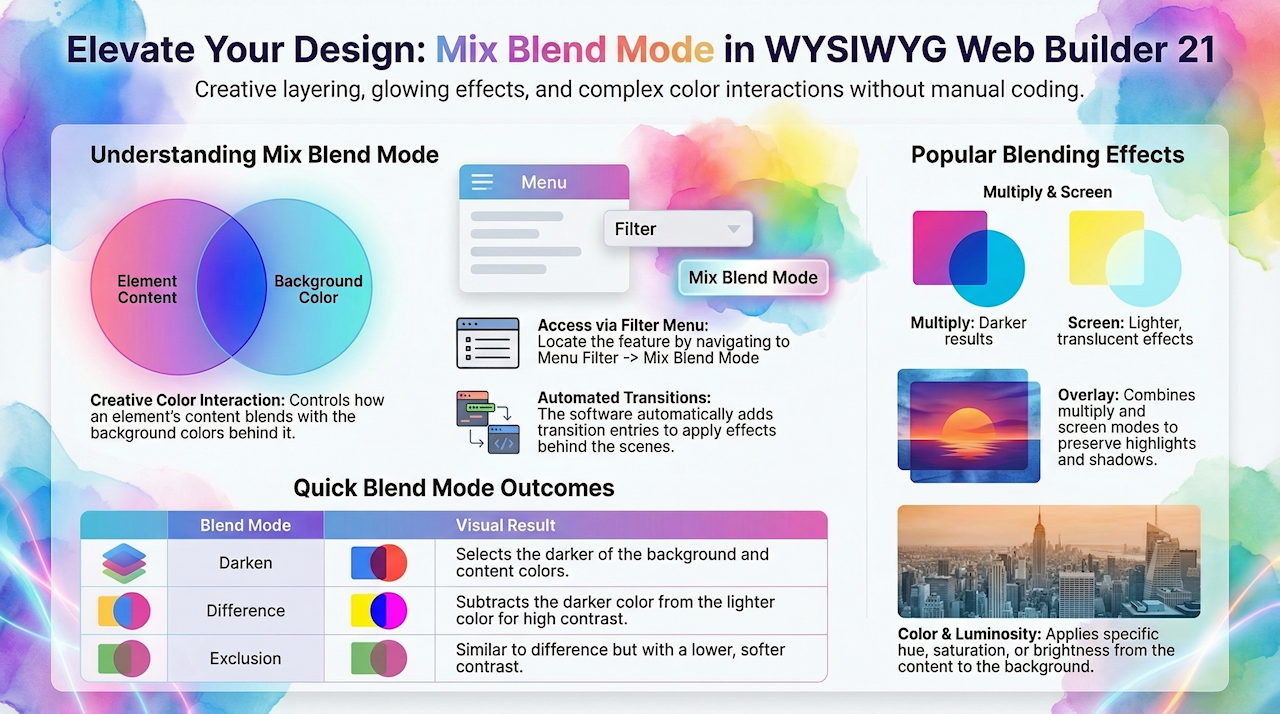
mix-blend-mode is a CSS property that controls how an element’s content blends with the background behind it.
Instead of simply sitting on top of other elements, it uses blending formulas (similar to those in Photoshop or design tools) to combine colors in creative ways.
This allows you to create effects such as:
• Lightening or darkening based on background colors
• Making text or shapes interact visually with images behind them
• Creating layered, artistic, or glowing effects
Common blend modes include multiply, screen, overlay, darken, lighten, and more.
Instead of simply sitting on top of other elements, it uses blending formulas (similar to those in Photoshop or design tools) to combine colors in creative ways.
This allows you to create effects such as:
• Lightening or darkening based on background colors
• Making text or shapes interact visually with images behind them
• Creating layered, artistic, or glowing effects
Common blend modes include multiply, screen, overlay, darken, lighten, and more.
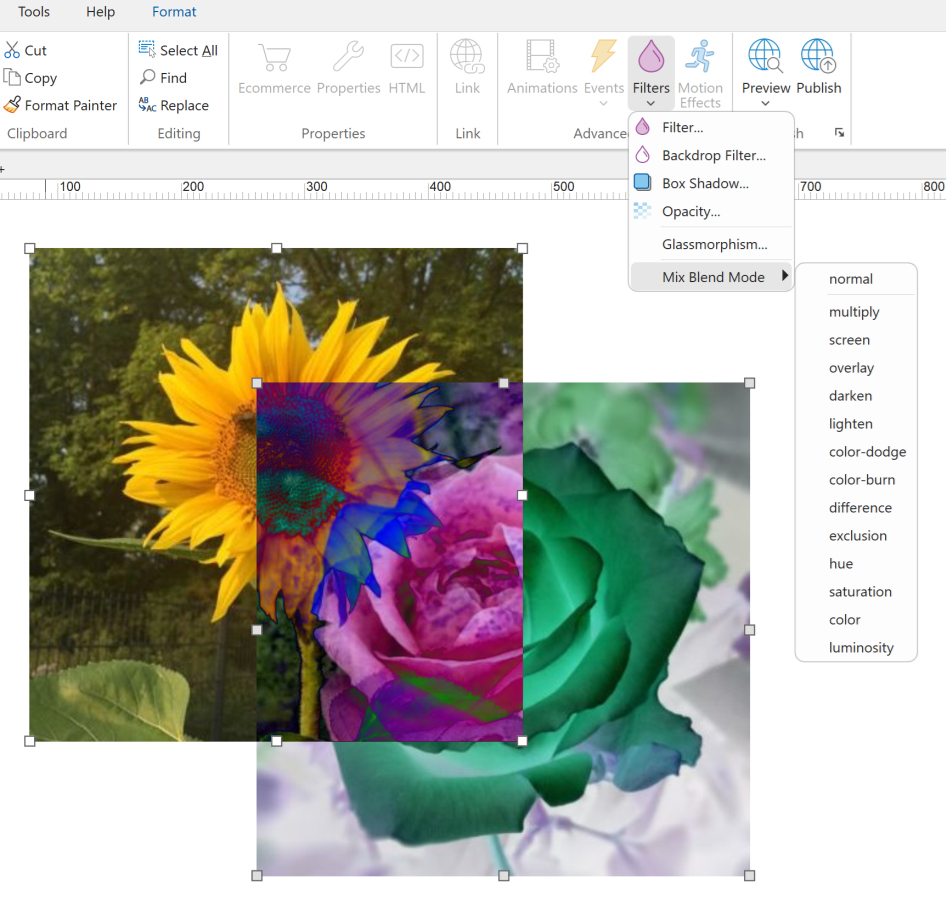
In WYSIWYG Web Builder, you can access Mix Blend Mode via menu Filter -> Mix Blend Mode.
Note
The Mix Blend Mode setting updates the corresponding transition properties behind the scenes. When you choose a blend mode, WYSIWYG Web Builder automatically adds a new transition entry in the element’s default state to apply the effect.
The Mix Blend Mode setting updates the corresponding transition properties behind the scenes. When you choose a blend mode, WYSIWYG Web Builder automatically adds a new transition entry in the element’s default state to apply the effect.
Blend Modes
Each blend mode creates a different visual effect.
Here are some common blend modes and their descriptions:
Here are some common blend modes and their descriptions:
normal
Default mode, no blending.
multiply
Multiplies the background and content colors, resulting in a darker color.
screen
Multiplies the inverse of the background and content colors, resulting in a lighter color.
overlay
Combines multiply and screen modes, preserving highlights and shadows.
darken
Selects the darker of the background and content colors.
lighten
Selects the lighter of the background and content colors.
color-dodge
Brightens the background color to reflect the content color.
color-burn
Darkens the background color to reflect the content color.
difference
Subtracts the darker color from the lighter color.
exclusion
Similar to difference but with lower contrast.
hue
Applies the hue of the content color to the background color.
saturation
Applies the saturation of the content color to the background color.
color
Applies the hue and saturation of the content color to the background color.
luminosity
Applies the luminosity of the content color to the background color.
Default mode, no blending.
multiply
Multiplies the background and content colors, resulting in a darker color.
screen
Multiplies the inverse of the background and content colors, resulting in a lighter color.
overlay
Combines multiply and screen modes, preserving highlights and shadows.
darken
Selects the darker of the background and content colors.
lighten
Selects the lighter of the background and content colors.
color-dodge
Brightens the background color to reflect the content color.
color-burn
Darkens the background color to reflect the content color.
difference
Subtracts the darker color from the lighter color.
exclusion
Similar to difference but with lower contrast.
hue
Applies the hue of the content color to the background color.
saturation
Applies the saturation of the content color to the background color.
color
Applies the hue and saturation of the content color to the background color.
luminosity
Applies the luminosity of the content color to the background color.