Visibility
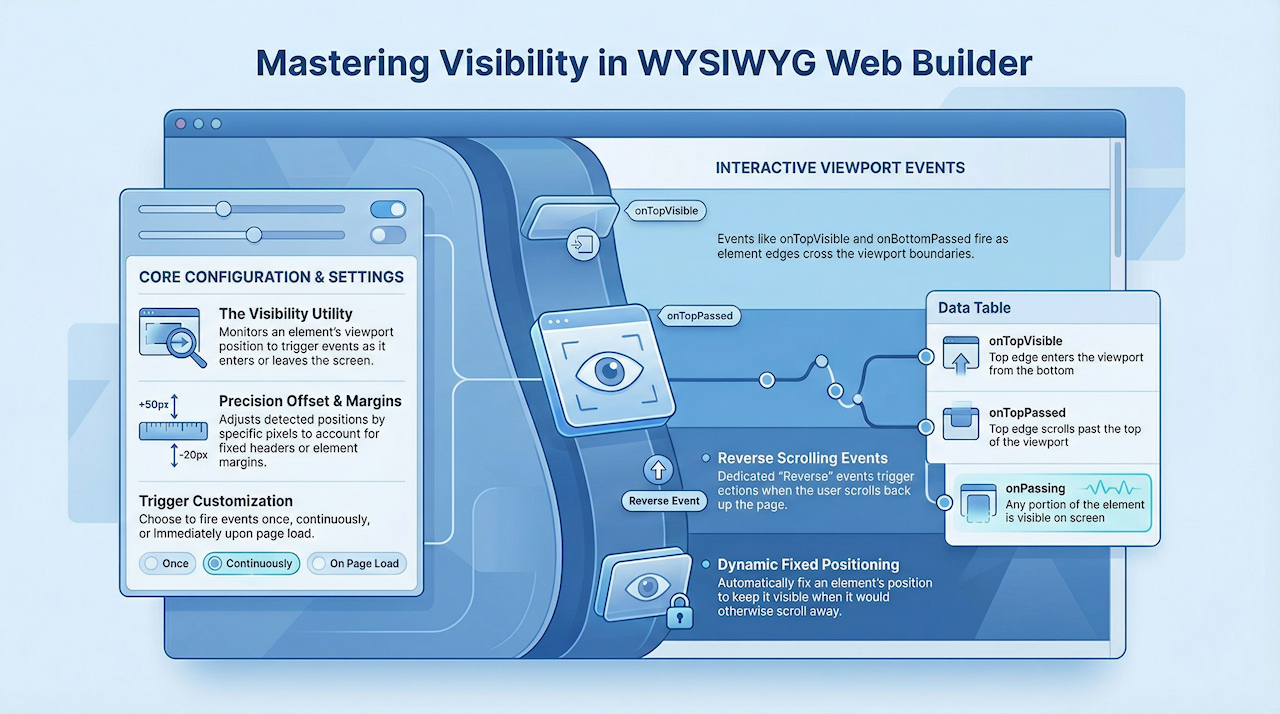
Visibility is a utility for monitoring an element’s position within the viewport. The Visibility object provides a set of events that make it easy to trigger actions based on how an element enters or leaves the visible area of the screen.
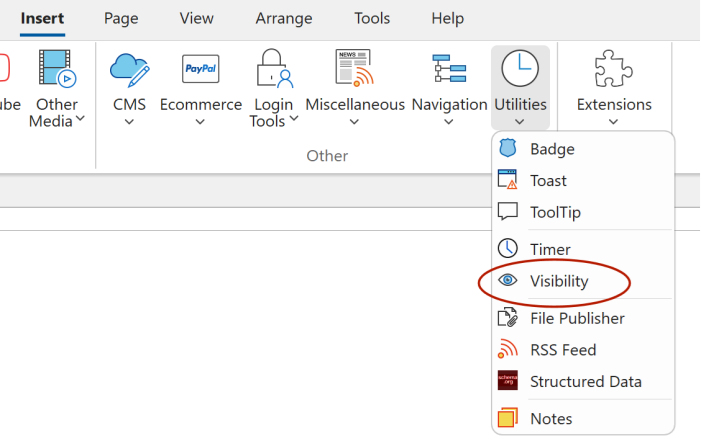
After dragging the Visibility object into the workspace, connect it to an element by selecting its ID from the Target Object dropdown.
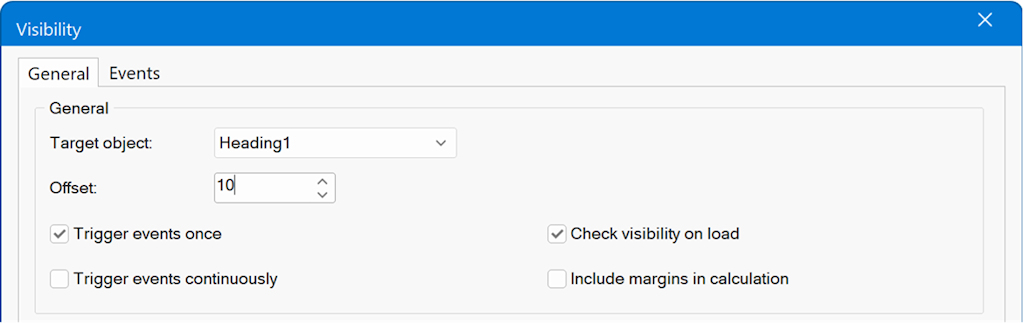
Offset
Adjusts the element’s detected position by the specified number of pixels. Useful when content is positioned beneath fixed headers or other fixed elements.
Trigger events once
When set to false, events fire every time the element crosses the defined visibility threshold.
(When true, events fire only the first time the threshold is met.)
Trigger events continuously
When set to true, events fire whenever the element meets a visibility condition, not only at the moment it first crosses the threshold.
Check visibility on load
Determines whether visibility conditions should be evaluated immediately when the page loads.
Include margins in calculations
Specifies whether the element’s margin should be included when calculating its visibility and position.
Adjusts the element’s detected position by the specified number of pixels. Useful when content is positioned beneath fixed headers or other fixed elements.
Trigger events once
When set to false, events fire every time the element crosses the defined visibility threshold.
(When true, events fire only the first time the threshold is met.)
Trigger events continuously
When set to true, events fire whenever the element meets a visibility condition, not only at the moment it first crosses the threshold.
Check visibility on load
Determines whether visibility conditions should be evaluated immediately when the page loads.
Include margins in calculations
Specifies whether the element’s margin should be included when calculating its visibility and position.
Fixed Position
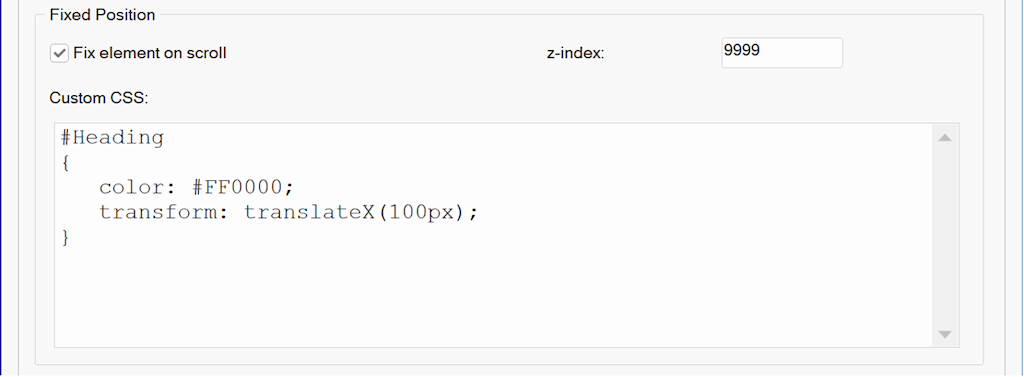
Additionally, the Visibility object includes an option to fix an element’s position, so it remains visible in the viewport when it is about to scroll out of view. You can apply custom CSS to define how the element should appear in its fixed state. For example, repositioning it or applying alternative styles.
Events
Events can be used to build interactive experiences, such as showing or hiding elements, starting or stopping media playback, or applying dynamic style changes. The same actions are available as for standard events.
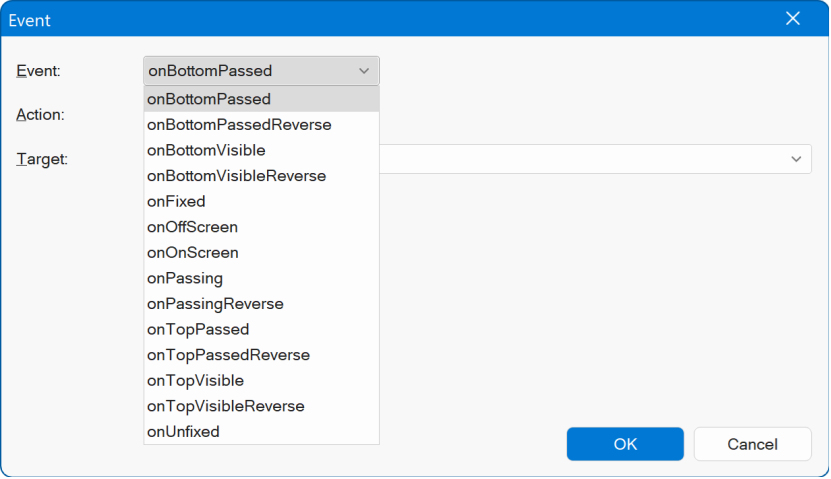
onTopVisible
Fires when the element’s top edge enters the viewport, crossing the bottom edge of the screen.
onTopPassed
Fires when the element’s top edge scrolls past the top of the viewport.
onBottomVisible
Fires when the element’s bottom edge enters the viewport, crossing the bottom edge of the screen.
onPassing
Fires when any portion of the element is visible within the viewport.
onBottomPassed
Fires when the element’s bottom edge scrolls past the top of the viewport.
Fires when the element’s top edge enters the viewport, crossing the bottom edge of the screen.
onTopPassed
Fires when the element’s top edge scrolls past the top of the viewport.
onBottomVisible
Fires when the element’s bottom edge enters the viewport, crossing the bottom edge of the screen.
onPassing
Fires when any portion of the element is visible within the viewport.
onBottomPassed
Fires when the element’s bottom edge scrolls past the top of the viewport.
Reverse Events
Events that trigger when the opposite condition is met during reverse scrolling.
onTopVisibleReverse
Fires when the element’s top edge leaves the viewport, no longer past the bottom of the screen.
onTopPassedReverse
Fires when the element’s top edge moves back below the top of the viewport.
onBottomVisibleReverse
Fires when the element’s bottom edge leaves the viewport, no longer past the bottom of the screen.
onPassingReverse
Fires when the element’s top edge is above the top of the viewport, but its bottom edge is still within view.
onBottomPassedReverse
Fires when the element’s bottom edge moves back below the top of the viewport.
onTopVisibleReverse
Fires when the element’s top edge leaves the viewport, no longer past the bottom of the screen.
onTopPassedReverse
Fires when the element’s top edge moves back below the top of the viewport.
onBottomVisibleReverse
Fires when the element’s bottom edge leaves the viewport, no longer past the bottom of the screen.
onPassingReverse
Fires when the element’s top edge is above the top of the viewport, but its bottom edge is still within view.
onBottomPassedReverse
Fires when the element’s bottom edge moves back below the top of the viewport.
Position Change Events
onFixed
Fires when the element is assigned a fixed position.
onUnfixed
Fires when the element’s fixed position is removed.
Fires when the element is assigned a fixed position.
onUnfixed
Fires when the element’s fixed position is removed.