Preview a page in your Browser
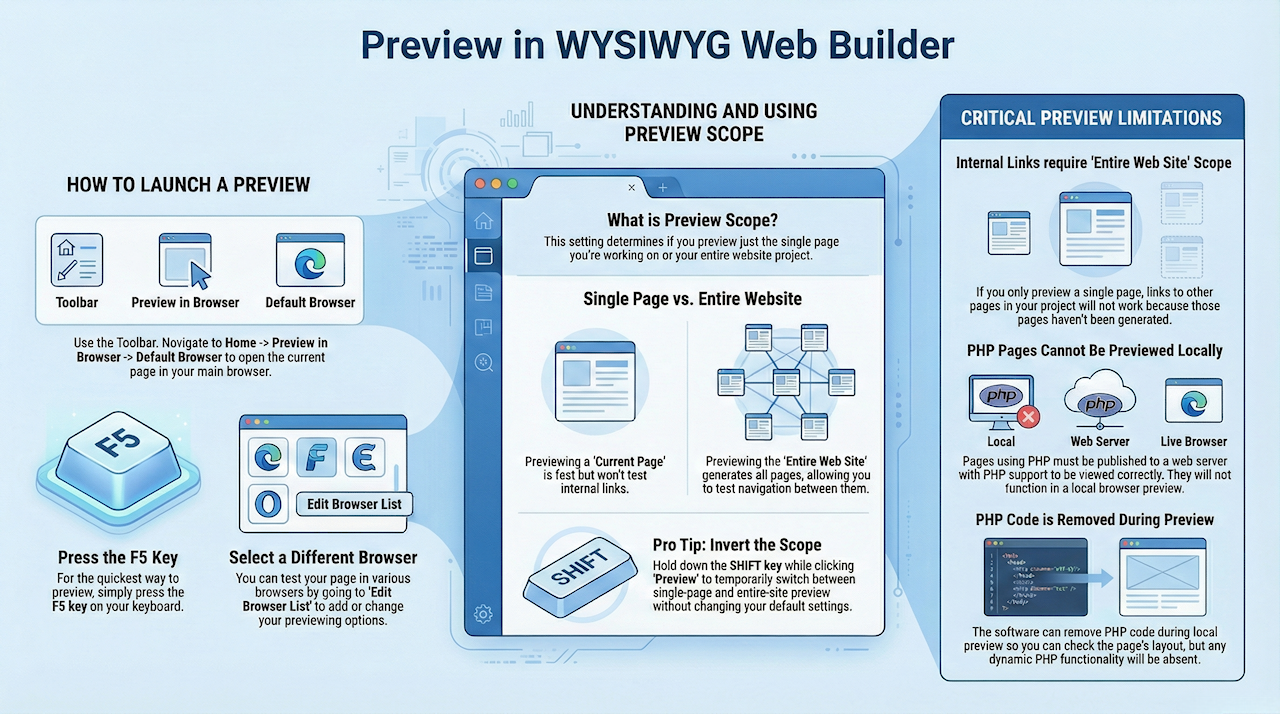
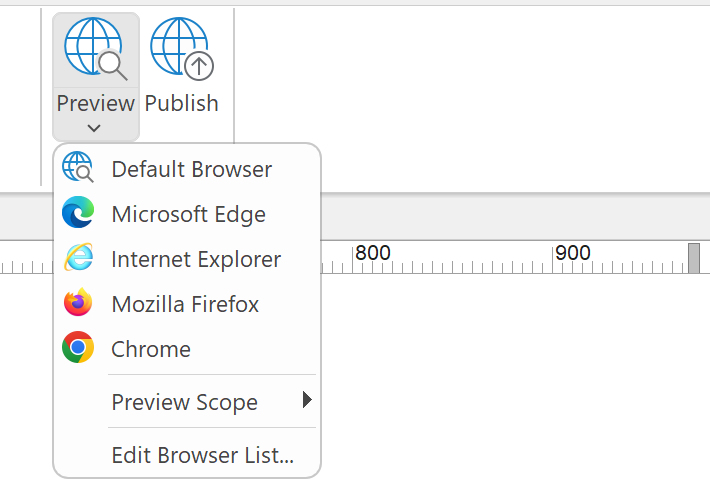
Select File -> Preview in Browser -> Default Browser (F5) to preview the current page in your default browser. It's also possible to change the browser that is used for previewing. Go to File -> Preview in Browser -> Edit Browser List to add/edit the list of browsers that can be used to preview the pages you are working on.
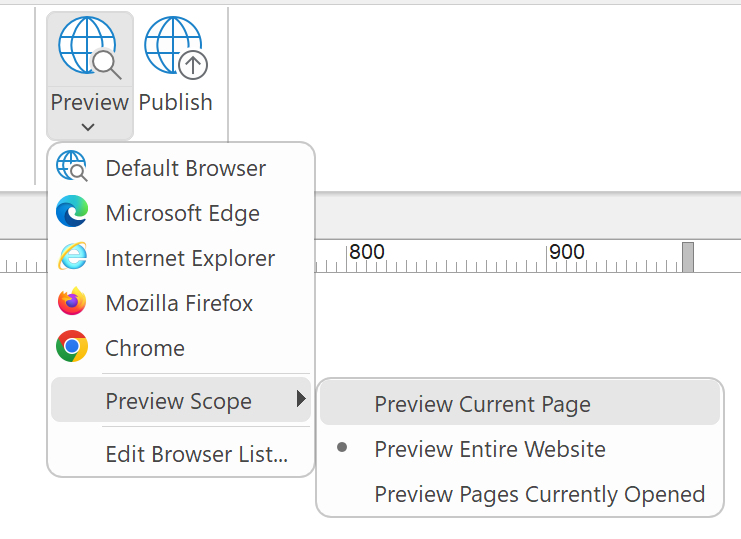
Preview Scope
When you select 'Preview current page,' only the current page will be generated. This provides a swift and convenient way to preview the page you are currently working on. It's important to note, though, that in this scenario, the other pages will not be available, and as a result, links to other pages will not function.
Preview Configuration
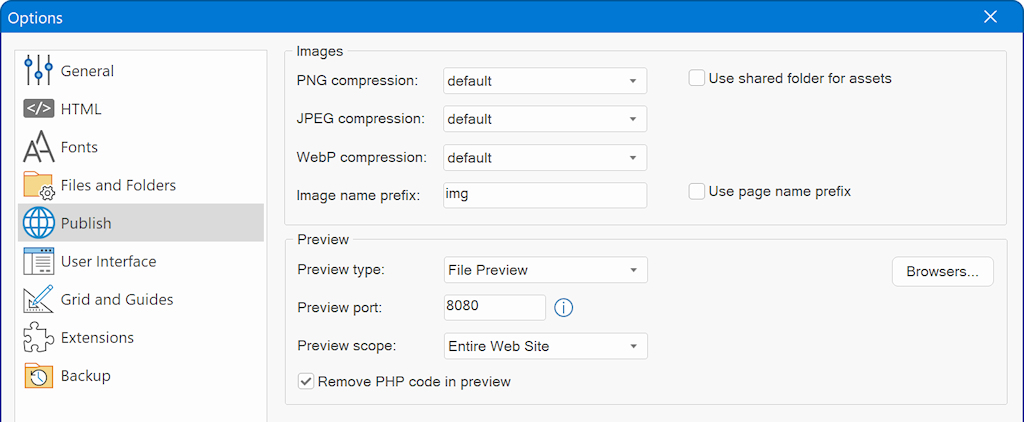
Additional preview options can be found in Tools -> Options -> Publish
The Preview type specifies how to preview the pages.
- File Preview
Directly displays the generate HTML in the browser. The page(s) can only be viewed locally.
- Local Server
This uses a local server for preview. One of the main reasons why this option was added is to make it possible to preview the website on a mobile device (via your local network) without having to publish the website. Preview port specifies the port which is used by the server for preview. For more information please see this tutorial: https://www.wysiwygwebbuilder.com/preview_localserver.html
Preview Scope
This option specifies the preview scope of Web Builder. Select 'Current Page' to only preview one page or 'Entire Web Site' if you want to test your complete web site. Preview Currently Opened Pages generates the HTML for all pages that are currently open in the workspace.
Remove PHP code during preview
Many of the advanced features of WYSIWYG Web Builder use PHP code. As you may know, browsers cannot interpret PHP code and usually will display errors or nothing at all! Previewing the layout of such a webpage on a server is not always convenient, so that's why we introduced this option. If this option is enabled then all PHP code will be removed during preview, so you can view the layout. Of course you will still be to publish the page to a PHP enabled web server to fully test the (dynamic) behavior of the page.
Browsers
Use this option to manage the list of preview browsers.
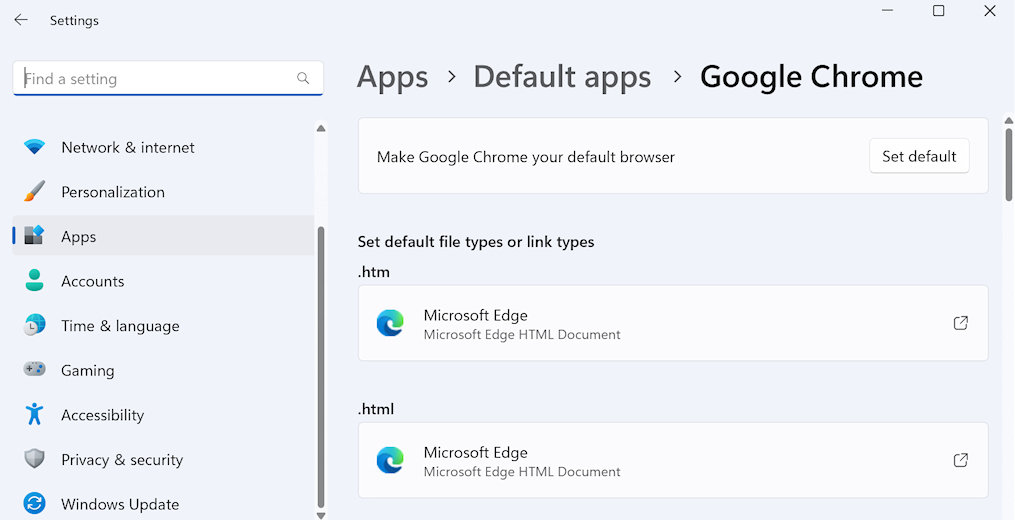
Default browser configuration
You can change the default web browser in the Windows Settings: Start > Settings > Apps > Default apps
Important
- Internal links do not work in Preview, unless you have set the Preview Scope to Entire Web Site!
If you only preview a single page, your browser will not be able to find all the other (internal) pages unless you also generate them!
- You cannot preview pages with PHP in your browser. They can only be viewed on a webserver with PHP installed.
However you can remove PHP code for preview by enabling 'Remove PHP during preview' in Tools->Options->Publish & Preview.
Note: this will not change the structure of the website, so if you have an internal link to a PHP page then links will be invalid during preview!
- In some cases, preview may fail if the temporary folder does not exist.
Make sure the Preview folder in Tools -> Options -> Files & Folders is valid.