Overpaste Links
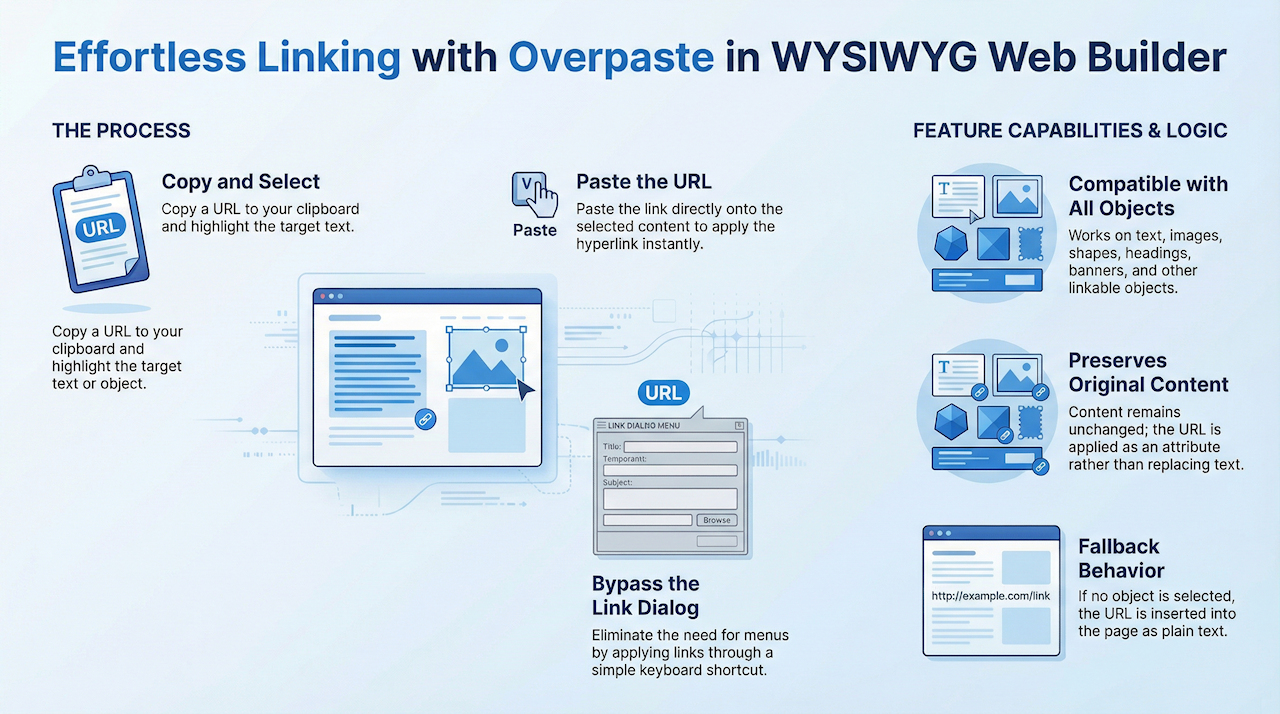
Create clickable links in seconds by simply pasting a URL over selected text or objects. The original content remains unchanged, the link is applied instantly, and theres no need to open the Link dialog.
With this feature, you can quickly turn selected text, images, shapes, and other linkable elements into hyperlinks. Instead of replacing your selection, the pasted URL is automatically attached to it making link creation faster and more intuitive.
How it works?
Step 1: Copy a link
Copy a URL from your browser or any other application to the clipboard
(for example: https://www.wysiwygwebbuilder.com)
Step 2: Switch to your Web Builder page
Step 3: Select an object
Highlight text, or select an image, shape, heading, banner, or any other linkable object.
Step 4: Paste the link
Paste the URL over the selected content.
For text, the text remains unchanged but becomes a clickable link.
For other objects, the link is applied directly to the selection.
Note
If nothing is selected, pasting a link behaves as before: the URL is inserted as plain text.
Copy a URL from your browser or any other application to the clipboard
(for example: https://www.wysiwygwebbuilder.com)
Step 2: Switch to your Web Builder page
Step 3: Select an object
Highlight text, or select an image, shape, heading, banner, or any other linkable object.
Step 4: Paste the link
Paste the URL over the selected content.
For text, the text remains unchanged but becomes a clickable link.
For other objects, the link is applied directly to the selection.
Note
If nothing is selected, pasting a link behaves as before: the URL is inserted as plain text.
YouTube / Vimeo
You can also paste YouTube and Vimeo URLs directly on the workspace. When you paste a URL into an empty area, a new YouTube or Vimeo object is created automatically. You can also paste a URL onto an existing YouTube/Vimeo object to replace its video.