Lightbox Gallery
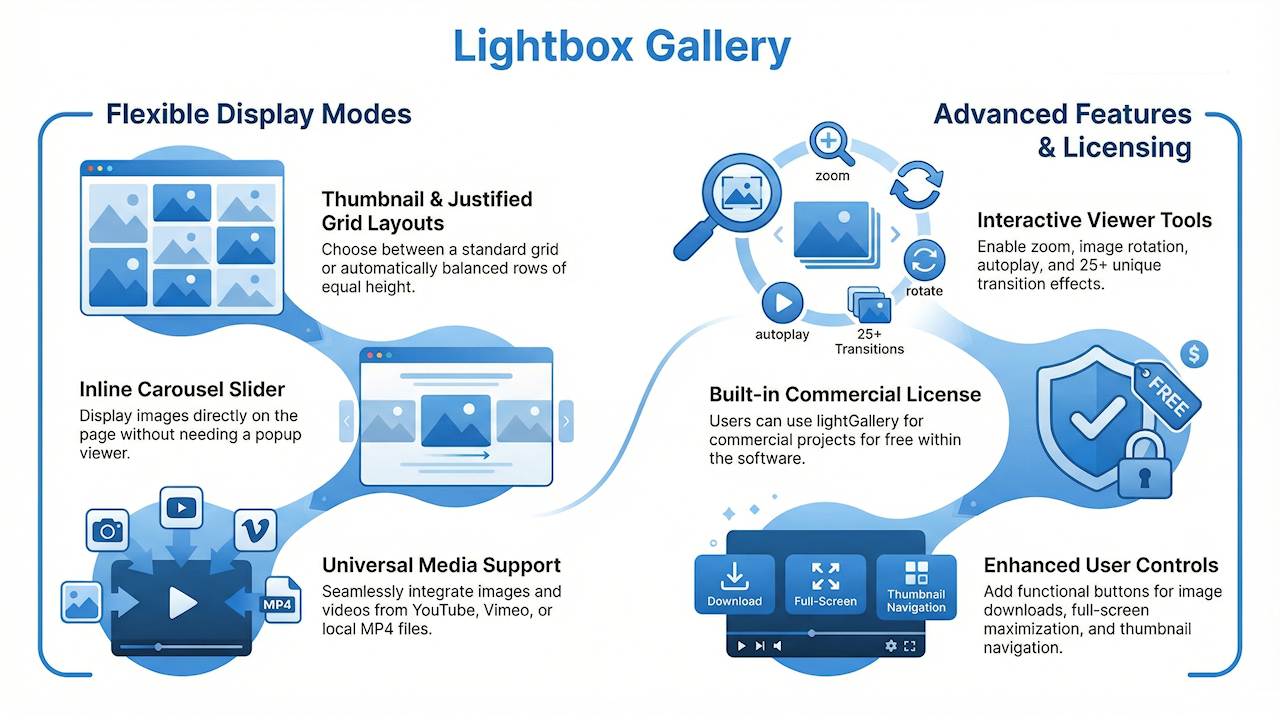
Lightbox Gallery provides an easy way to implement a fully featured lightbox with optional thumbnails, download buttons, rotation tools, autoplay, zoom, and more. It also supports video content, including YouTube, Vimeo, and MP4.
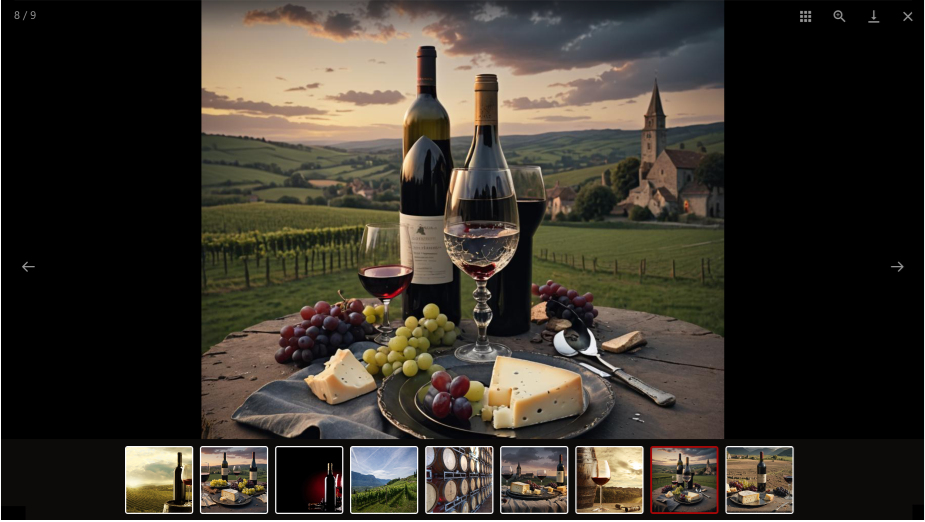
Lightbox Gallery includes three display modes—thumbnails, justified, and carousel (inline)—which determine how the gallery initially appears on the page. Clicking any image opens the lightbox viewer.
Lightbox Gallery is powered by the third-party script LightGallery.
Lightbox Gallery includes three display modes—thumbnails, justified, and carousel (inline)—which determine how the gallery initially appears on the page. Clicking any image opens the lightbox viewer.
Lightbox Gallery is powered by the third-party script LightGallery.
Thumbnails
In thumbnail mode, the gallery initially displays a grid of thumbnails, just like the Photo Gallery. You can adjust the spacing between images, add borders or image frames, and set the border radius. When you click an image, the Lightbox Gallery opens.

Justified
In Justified mode, thumbnails are automatically arranged in rows of equal height, adjusting their widths to create a clean, balanced gallery layout. The rest of the behavior is the same as for thumbnail mode.

Carousel
In Carousel mode, you can display an inline carousel slider. It offers the same features as the lightbox, but appears directly on the page rather than opening in a popup.
Options
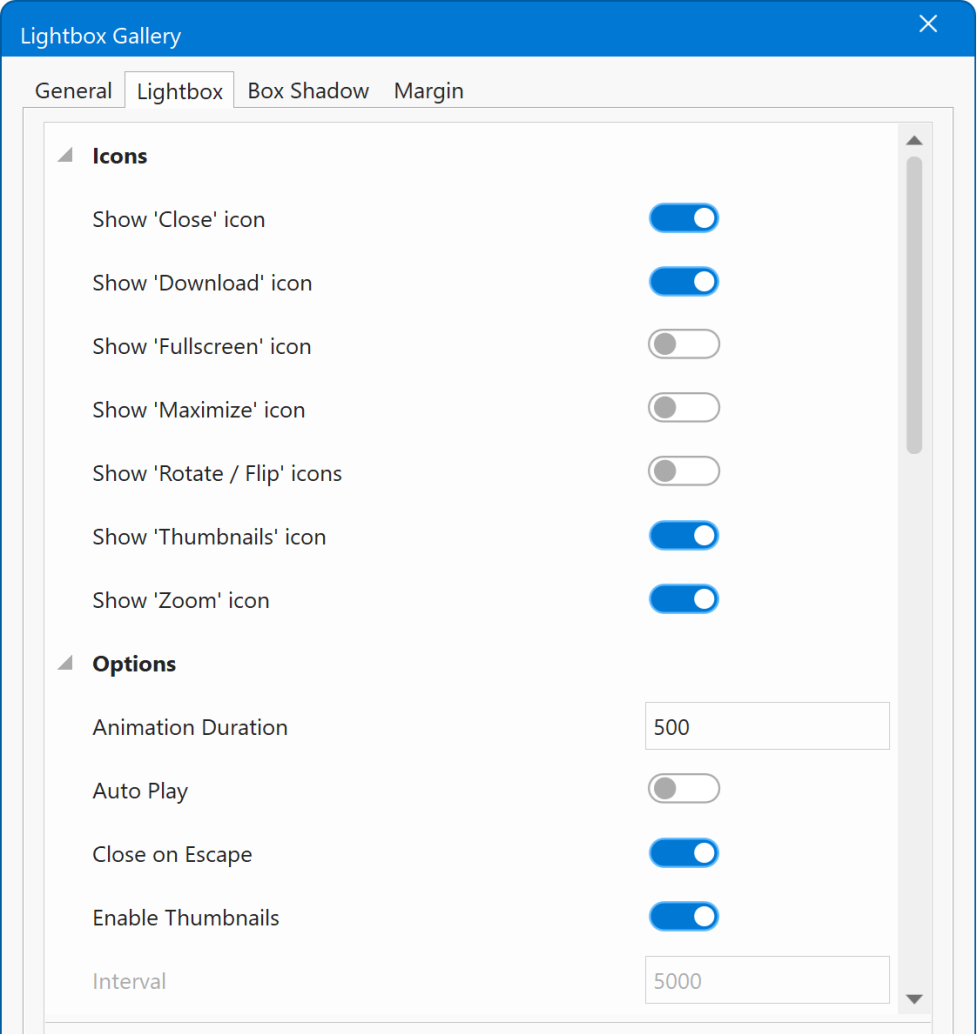
The Lightbox Gallery offers many options to customize its appearance and functionality. For example, you can allow users to download images by enabling the download icon, add tools to rotate or flip images, and enable features such as zoom, maximize, or showing/hiding thumbnails. With autoplay enabled, the slideshow will advance automatically.
You can also choose from more than 25 transition effects and customize the size, colors, and spacing of the thumbnails.
You can also choose from more than 25 transition effects and customize the size, colors, and spacing of the thumbnails.
Minimum Height
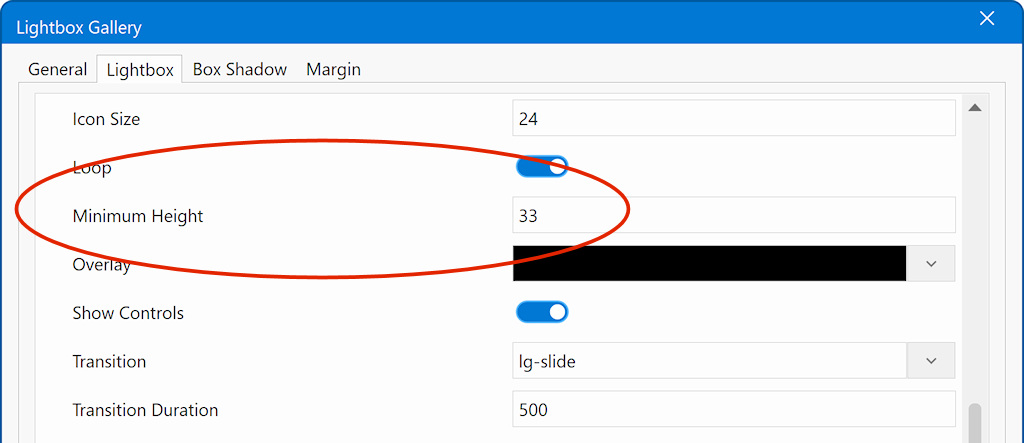
When using the lightbox gallery in Carousel mode, you need to set a minimum height. Without it, the gallery container can collapse to zero height and become invisible.
The value you enter controls the shape (aspect ratio) of the gallery container using a percentage. The number represents the container height relative to its width.
Examples
100 → Square container (1:1)
75 → Slightly wider than tall (4:3)
56 → Widescreen format (16:9)
33 → Very wide banner-style container
Adjust this value to match the shape you want for your images or carousel.
The value you enter controls the shape (aspect ratio) of the gallery container using a percentage. The number represents the container height relative to its width.
Examples
100 → Square container (1:1)
75 → Slightly wider than tall (4:3)
56 → Widescreen format (16:9)
33 → Very wide banner-style container
Adjust this value to match the shape you want for your images or carousel.
License
Lightbox Gallery is based on lightGallery, which is a free and open-source library. However, when using lightGallery for business purposes, such as commercial websites, projects, or applications, a commercial license is normally required.
WYSIWYG Web Builder includes an Extended Commercial License for lightGallery as part of the software. This means you are allowed to use lightGallery within projects created using WYSIWYG Web Builder, free of charge, even for commercial websites.
However:
- You may not share or transfer this license to others.
- You may not use the scripts or generated code separately outside WYSIWYG Web Builder.
- You may not reuse the lightGallery scripts in another web design tool, template system, or standalone project unless you obtain your own commercial license.