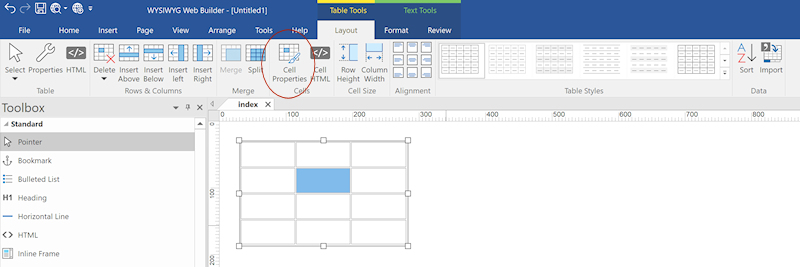
Table background color
Posted: Sat Apr 11, 2026 12:47 pm
Hi.
On a former project of WebBuilder (release 9) I set a table which had no background.
Now, with WB 21 the table has a white background and I can't modify it nor any cell background color. The options for Background in the Properties pallet a greyed and cannot be modified.
Could someone please help? Thank you.
On a former project of WebBuilder (release 9) I set a table which had no background.
Now, with WB 21 the table has a white background and I can't modify it nor any cell background color. The options for Background in the Properties pallet a greyed and cannot be modified.
Could someone please help? Thank you.